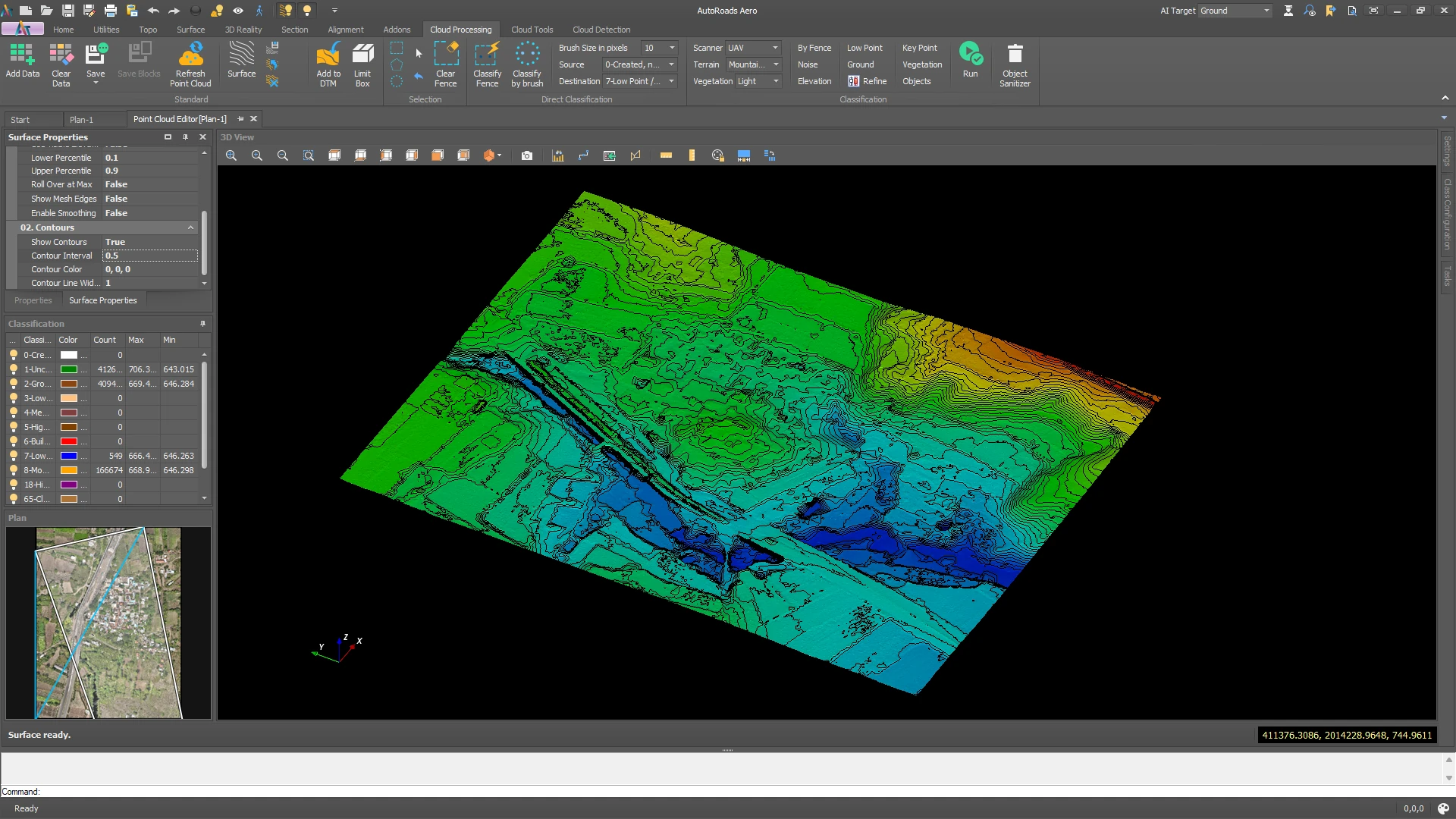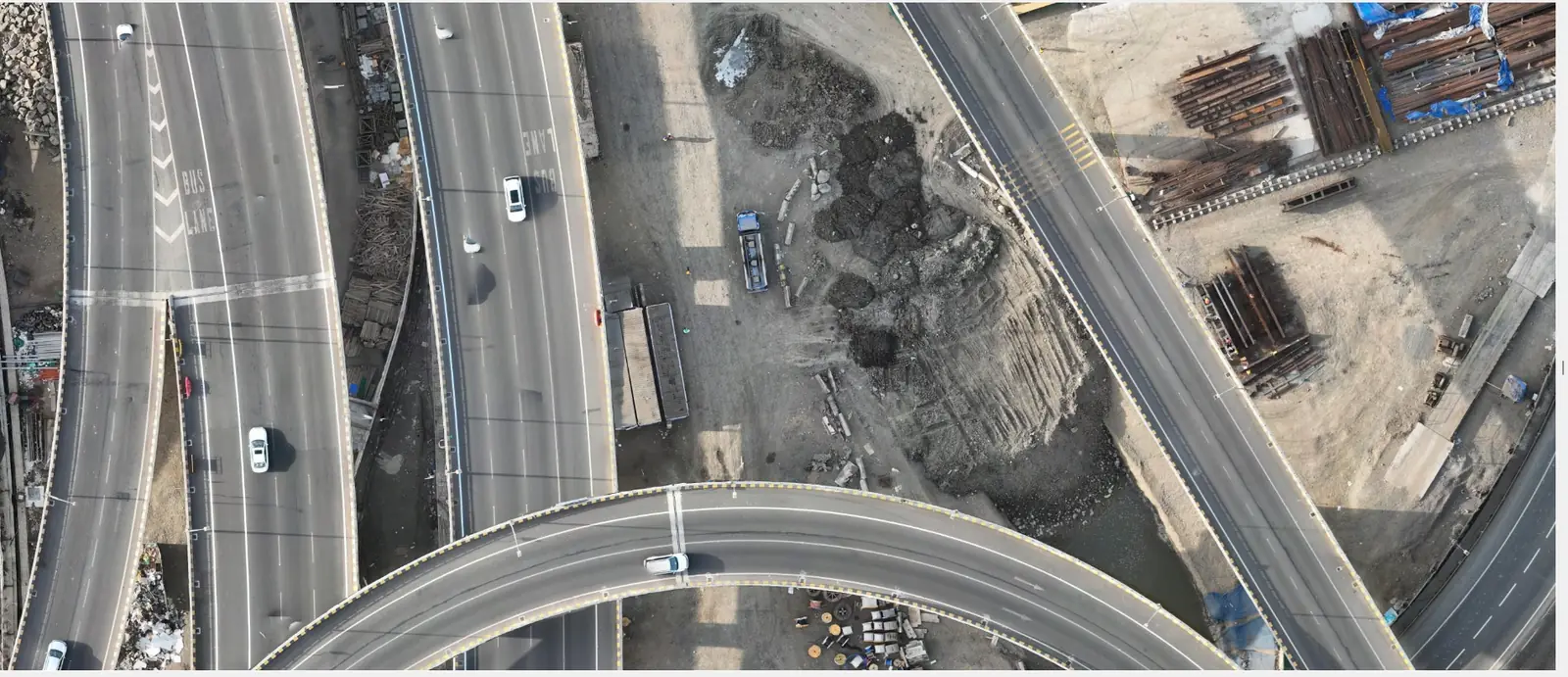
Drone orthomosaic of an urban road interchange, processed in AutoTerra Pro Aero
Aerial Photogrammetry LiDAR-Grade Processing

AutoTerra Pro Aero

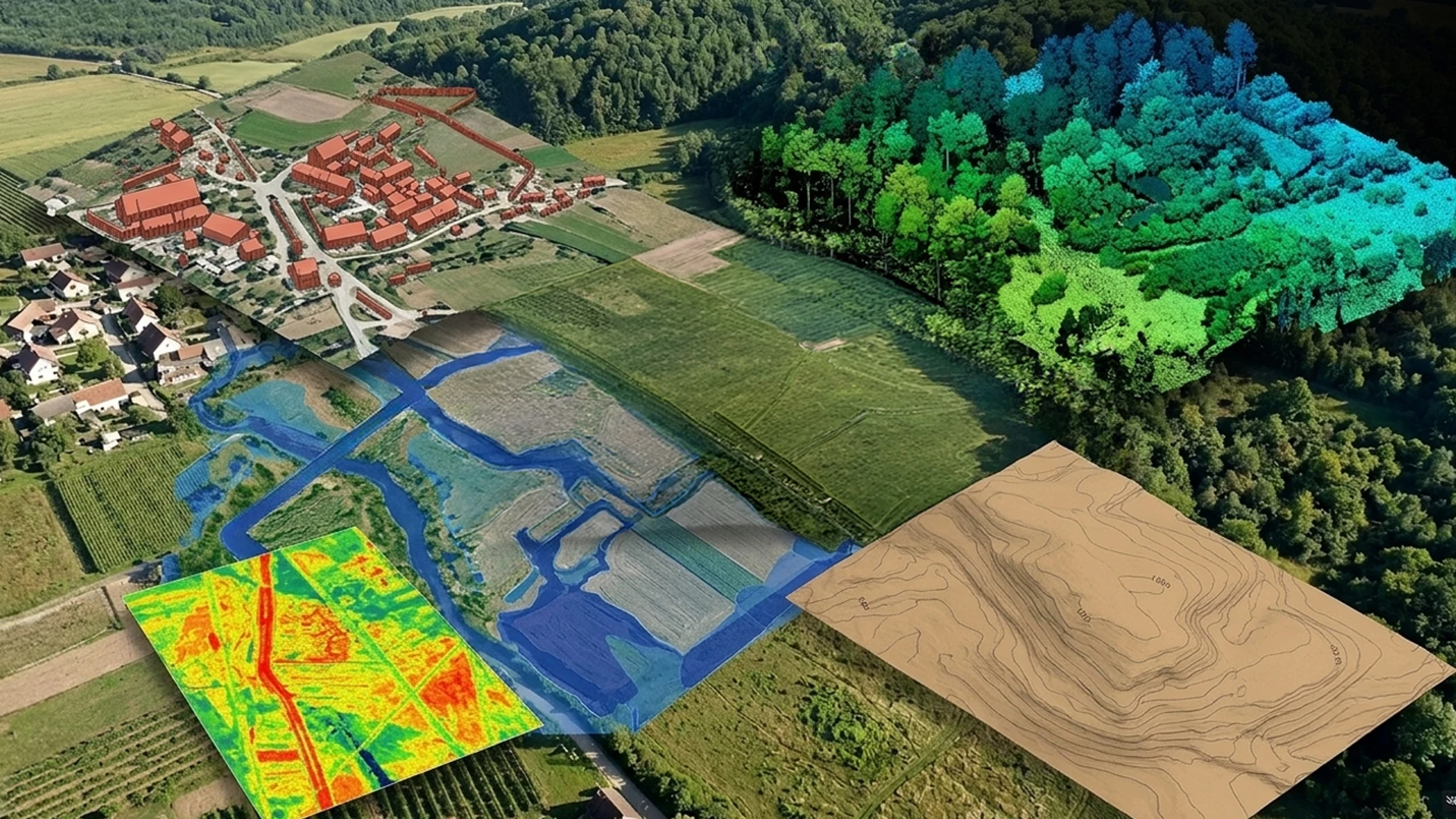
UAV photogrammetry and LiDAR-grade spatial processing in a single environment. Drone imagery is triangulated, reconstructed into a dense point cloud, orthomosaic and DSM, then classified and taken straight into the same terrain, contour and volume engine used for LiDAR projects — one project, one interface, no export between separate tools.
7
stages, capture to deliverable
4
volume calculation methods
4
hardware tiers benchmarked
GPU
CUDA-accelerated reconstruction
0
exports between tools
Photogrammetry Reconstruction

From raw drone imagery to survey-grade point cloud, DSM & orthomosaic

The first phase turns raw drone imagery into georeferenced, deliverable-ready geospatial data using the same aerial-triangulation and multi-view-stereo pipeline found in dedicated photogrammetry software, built directly into AutoTerra Pro Aero.

Aerial triangulation (SfM) Multi-view stereo GCP georeferencing Orthomosaic DSM / DEM 3D textured mesh
Import from standard UAV/drone camera formats; organised by flight and mission
Automatic tie-point detection & self-calibrating camera model
GCP georeferencing for survey-grade accuracy, with residual reporting
Dense multi-view-stereo point cloud, orthomosaic and DSM/DEM generation
Textured 3D mesh output for BIM and engineering review
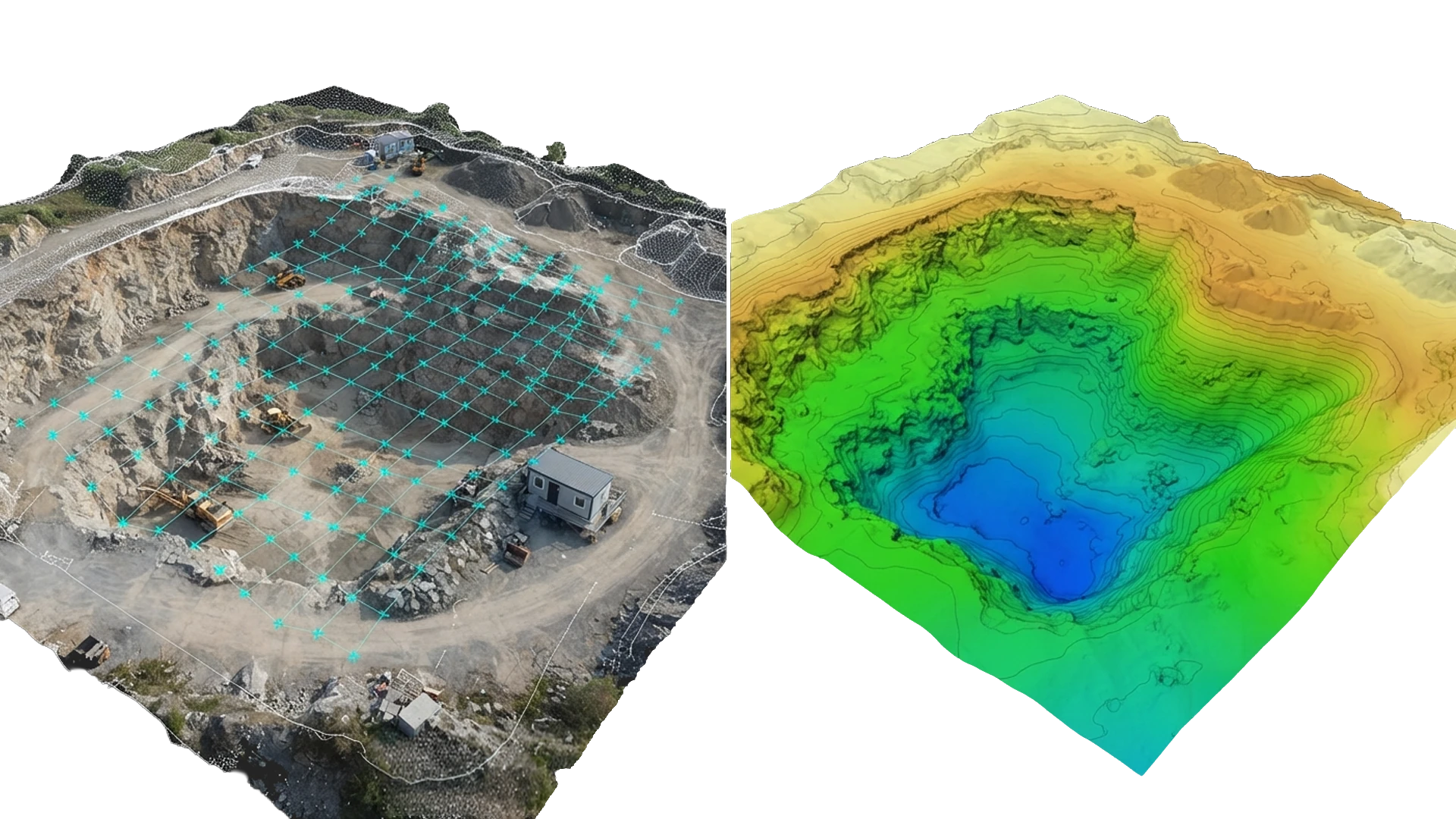
Triangulation viewport showing drone imagery reconstructed into a dense point cloud
One LiDAR-grade classification engine
AI-Powered Classification

One LiDAR-grade classification engine — even for drone data

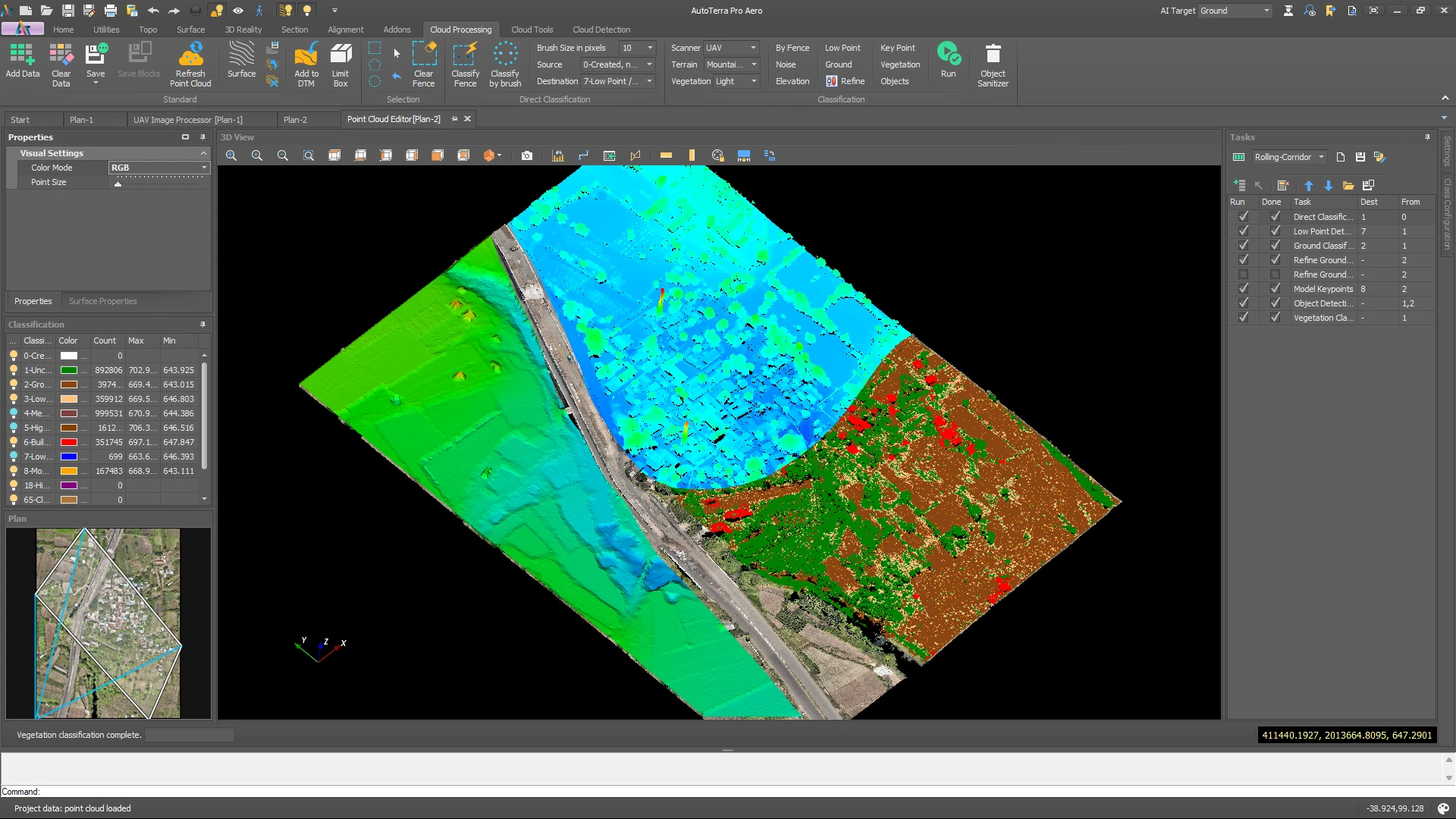
The dense image point cloud is never exported anywhere — it loads straight into AutoTerra's LiDAR-grade classification engine and is processed with the same 3D brush, fence and automated routines used on airborne and mobile LiDAR data.

Ground Buildings Vegetation Structures / walls Noise / outliers Custom classes
Brush, fence & automated classification tools work on image-derived point clouds
Real-time visual feedback as points are classified in 3D
Class visibility toggle & section-view classification for structures and ground
AI/ML-powered noise removal and vegetation removal, tuned to the scene
Progressive-TIN bare-earth extraction — the same routine used across every AutoTerra point cloud source
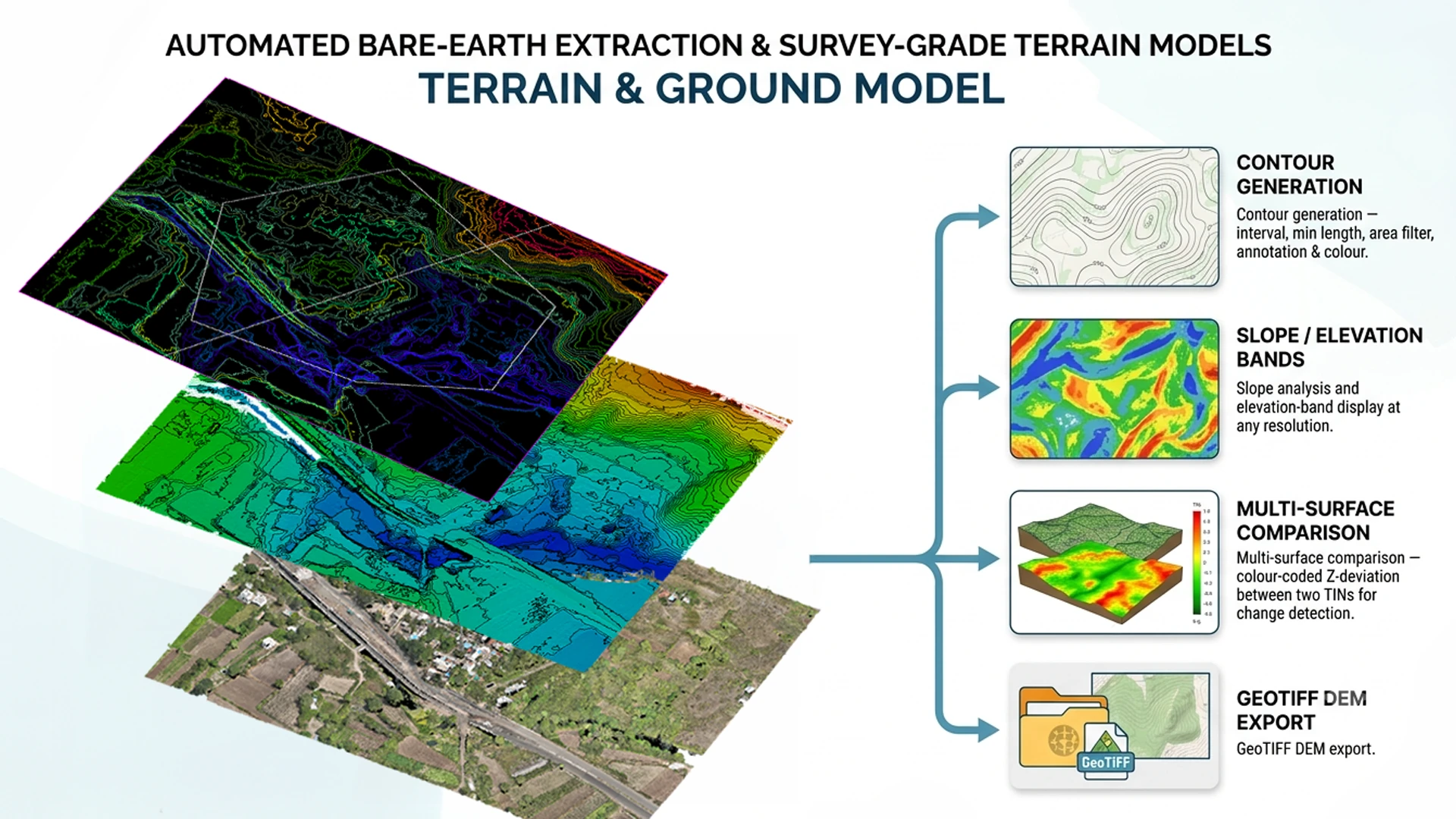
Terrain & Ground Model

Automated bare-earth extraction and survey-grade terrain models

Once the ground surface is classified, it becomes a DTM like any other AutoTerra terrain model — feeding straight into the same surface, contour and slope tools used across the Pro Spatial engine. Nothing is re-imported.

Progressive-TIN Breaklines & boundaries Contour generation Slope / elevation bands Multi-surface comparison GeoTIFF DEM export
Configurable pipeline from noise removal through ground classification to bare-earth surface
TIN surface from classified ground points, with breakline and boundary control
Contour generation — interval, min length, area filter, annotation & colour
Slope analysis and elevation-band display at any resolution
Multi-surface comparison — colour-coded Z-deviation between two TINs for change detection
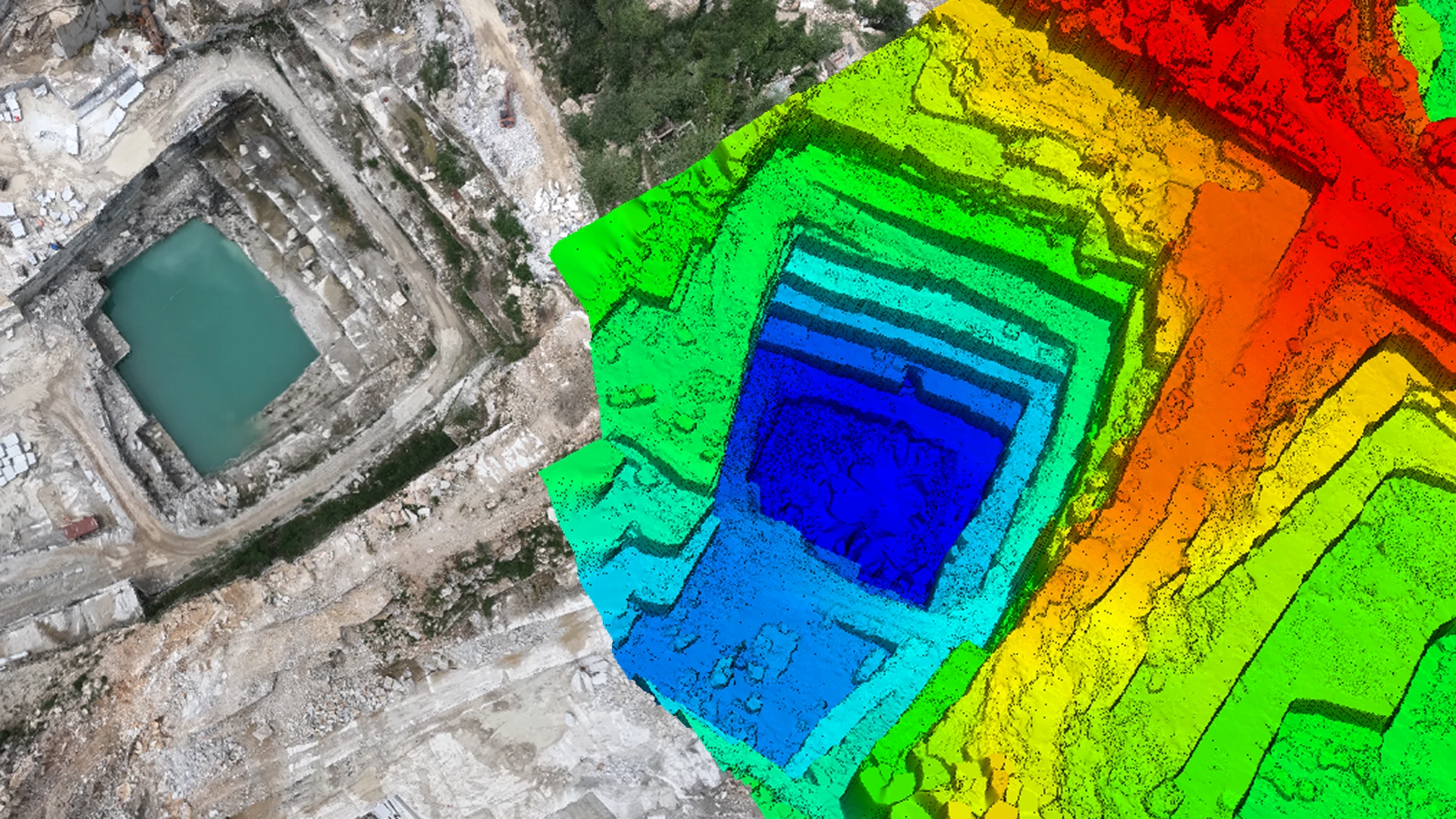
Terrain & Contour View
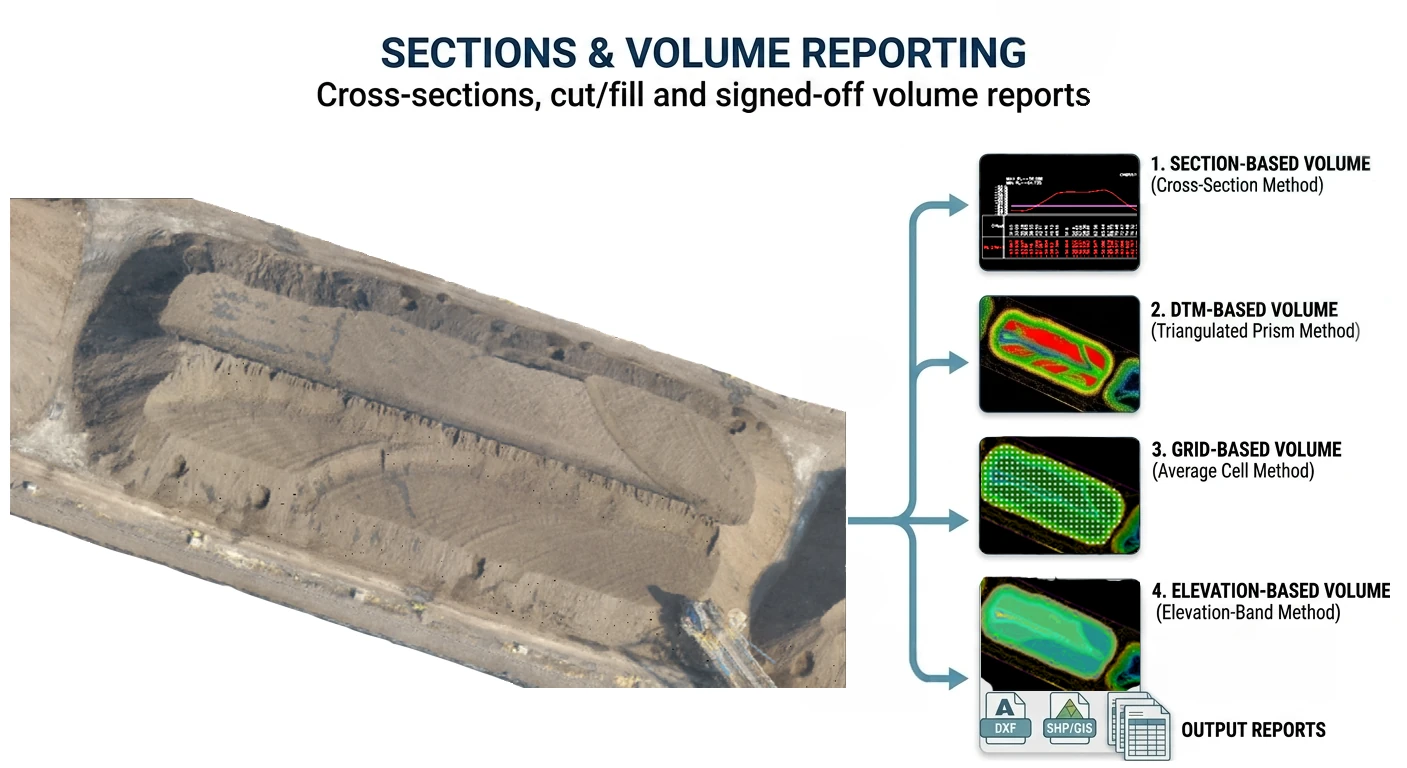
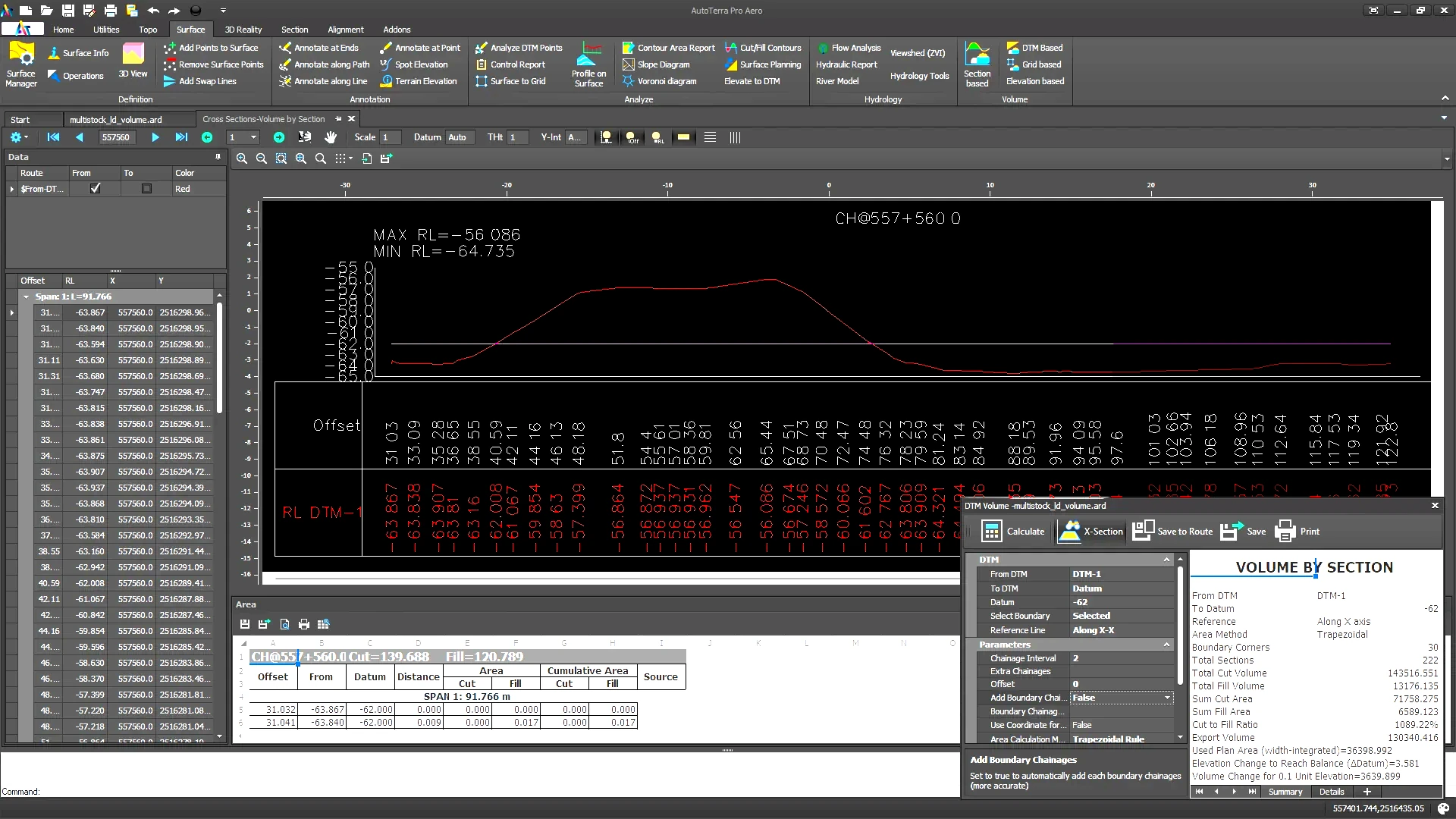
Cross-sections & Volume Reporting
Sections & Volume Reporting

Cross-sections, cut/fill and signed-off volume reports

Compute volumes by whichever method fits the deliverable, and generate cut/fill visualisation, chainage tables and section reports directly from the same ground model — no export to a separate reporting tool.

4 volume methods Cross-sections Chainage tables Cut/fill colour mapping CAD / GIS export
DTM-to-DTM, elevation-reference, grid-based and elevation-band volume methods
Cross-sections at any chainage interval, with design template overlay
Cut/fill zone colour mapping with CAD/GIS export
Multi-surface section comparison with per-station cut/fill reporting
Formatted volume and section reports with chainage tables
Technical Reference

Technical specifications

Full capabilities of AutoTerra Pro Aero. For a cross-edition comparison, see the Products & Comparison page. Products & Comparison

CategorySpecification
Image importStandard UAV/drone camera formats; organised by flight and mission; onboard GNSS/IMU carried through to triangulation
Aerial triangulationStructure-from-motion with automatic tie-point detection, self-calibrating camera model, and GCP georeferencing for survey-grade accuracy
Reconstruction outputsDense multi-view-stereo point cloud, orthomosaic/orthophoto, DSM/DEM, and textured 3D mesh
Classification engineFull LiDAR-grade brush, fence and automated classification; real-time 3D feedback; section-view classification
Ground extractionProgressive-TIN bare-earth routine with AI/ML-tuned noise and vegetation removal
Terrain outputsTIN surface, contours, slope/elevation bands, multi-surface Z-deviation comparison, GeoTIFF DEM export
Section & volume toolsCross-sections at any chainage with design overlay; four volume calculation methods; formatted cut/fill and chainage reports
Scripting / APIProcessing parameters are fully configurable and auditable at every stage of the pipeline
Licensing & dataOn-premise processing — data never leaves your infrastructure; licensed seat, cost doesn't scale with area; runs fully offline once installed
Image CountIndicative Processing Time (Capture → DSM/Ortho)
Up to 200 images~30–45 min on a 12 GB GPU · ~2–4 hrs on CPU only
200–500 images~45 min–1.5 hrs on a 12 GB GPU · ~4–8 hrs on CPU only
500–1,000 images~1.5–3 hrs on a 12 GB GPU · ~8–16 hrs on CPU only
1,000–5,000 images~4–10 hrs on a 12 GB GPU · ~1–3 days on CPU only

Figures are rough estimates for typical consumer/nadir drone imagery at standard overlap; actual runtime varies with image resolution, overlap, CPU core count/generation, and storage speed. A dedicated NVIDIA (CUDA) GPU is recommended.

System requirements

Minimum

OSWindows 10 (64-bit, v21H2+)
CPUIntel Core i7 / AMD Ryzen 7 (8 cores)
RAM16 GB
GPUNVIDIA GTX 1060 (6 GB VRAM) — CPU-only supported, slower
STORAGESSD, 50 GB free
DISPLAY1920×1080, OpenGL 4.1+
NETWORKRequired for activation only — processing runs fully offline

Recommended

OSWindows 11 (64-bit)
CPUIntel Core i9 / AMD Ryzen 9 (12+ cores)
RAM32–64 GB
GPUNVIDIA RTX 3080 / RTX 4070 (12 GB VRAM) — CUDA acceleration
STORAGENVMe SSD, 500 GB+ free
DISPLAY2560×1440, dual-monitor setup
NETWORKNot required once activated — data stays on-premise
Editions

Choose your starting point

Three base tiers, two capability layers — Spatial adds LiDAR, Aero adds drone photogrammetry. Upgrade at any time — your project files and settings transfer seamlessly.

AutoTerra Pro

Full survey, DTM and CAD toolkit — no photogrammetry

Survey & CAD tools, COGO, DXF/DWG
DTM / DSM generation
UAV photogrammetry reconstruction
LiDAR-grade classification engine
Corridor & road module

AutoTerra Pro Aero You are here

Drone photogrammetry + LiDAR-grade terrain, in one project

All Pro features
Aerial triangulation & dense reconstruction
LiDAR-grade classification engine
Progressive-TIN bare-earth extraction
Airborne/mobile LiDAR at scale
Corridor & road survey module

AutoTerra Pro Spatial

Everything in Pro Aero, plus LiDAR at scale & corridors

All Pro Aero features
Airborne & mobile LiDAR at scale (1B+ points/session)
Corridor & road survey module
Soft licence or USB dongle
Batch task automation and cloud tools

Ready to see Pro Aero in action?

Our solution engineers will walk you through the complete drone-to-deliverable workflow on your own project data.

Request a demo Start free trial